

Toribash
anyone know how to make the render have a volume
"0h no" -Trice
A.K.A Tricerafi || Thanks Papa Donut, bless you
try download Grunge brushes from thebrushking.com
the find the PS folder search for brushes than copy the downloaded file to there.
If you finish that step,open the PS,the press the brush changing,you'll find arrow press that and voila....
Don't understand search it in google
"0h no" -Trice
A.K.A Tricerafi || Thanks Papa Donut, bless you
Originally Posted by Tessh View Post
Okay, I will try.
Thebrushking.com http://www.thebrushking.com/Contact-Us1.html <-- this?

i meant this
http://www.brushking.eu/

Originally Posted by Dae67 View Post
Name: Daniele
Age: 18
Current clan: Essence
other Org(if there any): Italians Do It Better | Artists's Co-operative | T3AL
what Photoshop version are you using: CS 5
how long have you been use PS: 1/2 years
example of your artwork using PS:

Mah GFX


Description about your self:
i started my GFX career using Paint.net, understanding how to make simple tags with it, than i emh... *cough*downloaded*cough* photoshop CS4, and, by following some tutorials, i started making some textures and some advanced signatures.
After a while i managed to buy the CS5 Bundle, using expecially Photoshop and Dreamweaver.
Now with photoshop i make several things like GFX, WebSites, 3D Post-processing and Photo Post-processing.
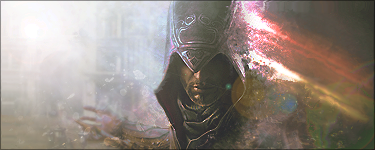
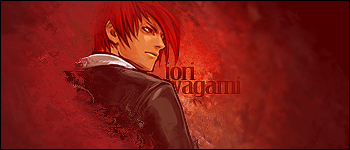
Shit that was awesome....how can you make that kind of background?
oh yeah accepted
"0h no" -Trice
A.K.A Tricerafi || Thanks Papa Donut, bless you
hey do you know how to make the render like have a volume or something like that
"0h no" -Trice
A.K.A Tricerafi || Thanks Papa Donut, bless you
i gonna make some avvy right now
but i didn't have any idea for the render anyone want help me
"0h no" -Trice
A.K.A Tricerafi || Thanks Papa Donut, bless you
So that's why the barrel look different from the other you're in
my newest ART please CnC
Last edited by Trice; Feb 7, 2012 at 12:23 PM.
"0h no" -Trice
A.K.A Tricerafi || Thanks Papa Donut, bless you
Originally Posted by Dae67 View Post
nah... it isn't worth 9.6/10... that's a 5/10...
it completely lacks of a main focal point and flow, no depth and is hard to see =/

im pretty new at making avvy,can you tell me how to add main focal point and depth?
"0h no" -Trice
A.K.A Tricerafi || Thanks Papa Donut, bless you
thanks for the help,i'll make a new one tomorrow
"0h no" -Trice
A.K.A Tricerafi || Thanks Papa Donut, bless you
Originally Posted by zombieshit View Post
Name: Zombieshit
Age: 19
Current clan: PN (Pro Ninjas)
other Org(if there any): no
what Photoshop version are you using: CS5 version 12.0
how long have you been use PS: about half year
example of your artwork using PS: examples u can see in my signature or here are my other works http://pokec.azet.sk/SHADOWCROW/foto...9=db401fea0d02
Description about your self: i am a 19 year old guy from slovakia mostly from my time i waste to photoshop specially on head textures to toribash and sets and my other time i make box ... the reason why i want to join this organization is that i wanna better know the other artists in toribash and find a good place to share my works , help anyone who gonna need it (with art) and i hope too learn more from u guys ;)

Pretty nice head
do you know how to make it like mirorred?

Originally Posted by Tessh View Post
yoo Zombie!

watch your post if you did that again i'll kick you from my org
"0h no" -Trice
A.K.A Tricerafi || Thanks Papa Donut, bless you