Original Post


Forums Visual Overhaul
Hi, we're currently working on visual overhaul for forums and would like to gather some of your thoughts / showcase what we've got so far.
This thread (and this post in particular) will be receiving updates as we add more stuff.
You can also try it yourself by enabling "Modern" forum skin in User CP options: https://forum.toribash.com/profile.php?do=editoptions
Base theme will be dark but we'll also be making a light one based on it once it's finished.
You'll still be able to use current default styling (forums only) if you wish.
Some misc info:
- New visuals are built with Bootstrap.
- All pages scale accordingly to your device screen size. On some pages, that would also hide less important information for devices with smaller screens (see screenshots below).
- Fonts we use are Roboto, Roboto Condensed for top navigation and Badaboom.
- We want to bring back post voting/rating system.
- Search is now available for all users who can make posts.
- Social groups and Competitions modules have been disabled due to their redundancy.
Some details on breadcrumbs:
Breadcrumbs (top dark bar with "Toribash Community / Toribash / ..." text) is always visible and will stick to top of your screen both in desktop and mobile mode. In mobile, it's also used to hold a button to open main navigation menu.
Quick search will search for threads or posts within forum section, board or thread you're currently viewing. For example, searching "Overhaul" from forum home, News board and this thread will give you three different results. If you want to apply custom search settings, choose "Advanced search" option from the right breadcrumbs dropdown menu. When viewing user's page (member.php), it will search for the user under specified name.
This thread (and this post in particular) will be receiving updates as we add more stuff.
You can also try it yourself by enabling "Modern" forum skin in User CP options: https://forum.toribash.com/profile.php?do=editoptions
Base theme will be dark but we'll also be making a light one based on it once it's finished.
You'll still be able to use current default styling (forums only) if you wish.
Some misc info:
- New visuals are built with Bootstrap.
- All pages scale accordingly to your device screen size. On some pages, that would also hide less important information for devices with smaller screens (see screenshots below).
- Fonts we use are Roboto, Roboto Condensed for top navigation and Badaboom.
- We want to bring back post voting/rating system.
- Search is now available for all users who can make posts.
- Social groups and Competitions modules have been disabled due to their redundancy.
Forum Home


Board view


Thread view


Member.php

User CP

Some details on breadcrumbs:
Breadcrumbs (top dark bar with "Toribash Community / Toribash / ..." text) is always visible and will stick to top of your screen both in desktop and mobile mode. In mobile, it's also used to hold a button to open main navigation menu.
Quick search will search for threads or posts within forum section, board or thread you're currently viewing. For example, searching "Overhaul" from forum home, News board and this thread will give you three different results. If you want to apply custom search settings, choose "Advanced search" option from the right breadcrumbs dropdown menu. When viewing user's page (member.php), it will search for the user under specified name.
Last edited by sir; Sep 26, 2019 at 12:11 PM.

Originally Posted by Maya

I've switched to the --Modern forum skin, but this doesn't seem to change anything when using Firefox. It all displays correctly in chrome. If I navigate to a board or thread and add "&styleid=16" to the end of the URL, firefox will display it with the new skin, but otherwise I get the old skin. That styleid is not applied to any new page I navigate to.
You may have an old style cookie set up if you ever opened a ?styleid= link, they used to be permanent instead of session-based in past. That'd override whatever you have specified in User CP.
Originally Posted by Maya
(Additionally... posting is nearly impossible when using firefox, always has been. It hangs when I press "post quick reply" or "submit reply" or "save" and eventually informs me that I need to wait 30 seconds between posts.)
Still looking into it as it only affects random users and works for others.
Originally Posted by Bison
I noticed that there is no achievement table.
It would be good if it appear, at least in a simplified version.
For example, it could include achievements from steam and some of the most important achievements from the old version, such as championship trophies.
Achievements have been completely deprecated over half a year ago, there's currently no plans to bring non-steam achievements back.
Originally Posted by sSLight
one thing i'd like to suggest is to have subscribed threads on its separate button instead of being tucked in with the others, i don't know if a lot of people do it but that's pretty much the only button i regularly press on the forums
I added it to breadcrumbs dropdown menu, is that ok?
Originally Posted by Rizle
Why devs' didn't do something like this onto mobile version?
Because that'd eat too much traffic whenever you navigate to member.php
Originally Posted by l0lix
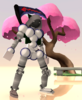
Also, ¿it only show textures and colors? Or 3d items aswell?
Everything except hairs. Some 3D items also display as wireframe, but that seems to be an issue with .obj files used for those items.
Originally Posted by Goomba
Sai apppear to preview backwards
Will look into it, should be because there are some extra rotations being applied to lower torso to make gradients display properly.

Is there a reason hairs don't show up?
Or is that not implemented yet?
Or is that not implemented yet?
[🥒] x2 🥒x17
Originally Posted by BigDog
i gave it a try and honestly it's worst then the older one, sorry to say but it literally feels like a downgrade and less of a forum when i turned it on that.
You know they won't know how to make it better if all you do is complain and give no actual examples of your experience.
I really dig this more modern style. It's gonna take a bit of getting used to but so far I don't see many problems with accessibility. I'm sure I'll find some issues eventually but I'll make sure to let you know if I do.
"Cool delfin med solglajjor" -Larfen
Originally Posted by Goomba
Is there a reason hairs don't show up?
Or is that not implemented yet?
Hairs are done with Toribash engine and are unlikely to stay in their current form in TBN. Same applies to flames (they also aren't displayed, forgot to mention that).
Originally Posted by Wounder
it'd be cool if we could choose from a list of multiple poses for our tori on the profile page
Poses, customizable background colors / textures will be available later, yes.
Originally Posted by Hi
Everything feels kind of cluttered, was hoping for a completely new redesign kinda like knockout.chat website
I can understand the initial confusion because new design looks different from an old one, but saying this looks less cluttered? Idk man.
Originally Posted by Wounder
I just can't get used to this layout, the topics are too far centered so it's annoying to try and view them, i'd suggest stretching it out and not leaving big spaces on both sides.
Also on a mac when I command + click on a topic it's supposed to open that to a new window, now it does that but it will also direct my current page to the intended page, which i'm not trying to do, so it gives me two windows of the same thread.
What's your screen size? Padding is ~8% on each side for larger screens, it shouldn't feel like too much.
Fixed the ctrl/cmd + click behavior, should be working properly now.