Original Post


[Request] Replay Analysis Script - 20k TC REWARD
I want to commentate/make videos for match replays. I only commentate/make videos for live matches at the moment and I know I'm missing out on some epic matches that I wasn't around to see live.
I heard it was possible to make a script that does these things:
Example for an Aikido Big Dojo replay:
Aikido Big Dojo Turn Frames: 10,20,20,30,30,35,35,40,40,40,50,50,50,50
The user will have to press space 14 times to watch the replay, completely.
That's all I ask.
Feel free to contact me if you need more info.
I heard it was possible to make a script that does these things:
- Pauses the reply automatically after you load the replay
- Takes/Retrieves/Gathers the turn frames data from the mod that the replay is for
- Let's the user press space to start the replay, which will only go a certain amount of frames for the first turn. Then the replay pauses again. The user then presses space again, the replay continues to play for the certain amount of frames the second turn has. The replay then pauses again, etc.
Example for an Aikido Big Dojo replay:
Aikido Big Dojo Turn Frames: 10,20,20,30,30,35,35,40,40,40,50,50,50,50
The user will have to press space 14 times to watch the replay, completely.
That's all I ask.
Feel free to contact me if you need more info.
Last edited by LesDuncan; Mar 12, 2014 at 02:00 AM.
Learning from the best.
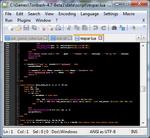
Here you go.
Usage:
Save the script to your "..\Toribash-[VERSION]\data\script\" folder.
load the script with "/ls les.lua"
And analyze a game with the command:
/analyze [REPLAY FILE] (-fogoff)
[REPLAY FILE] is a .rpl file that's in your "..\Toribash-[VERSION]\replay\" folder.
If you use -fogoff then the ghosts will show which moves the players will make that turn. If you leave -fogoff out then it will show the game like you're watching a multiplayer match.
press space to advance.
Issues: Some turns the game will pause one the frame right before the normal turn frame. It's only one frame, and shouldn't affect how the game is used.
Let me know if it works, and if you want anything changed or added.
Usage:
Save the script to your "..\Toribash-[VERSION]\data\script\" folder.
load the script with "/ls les.lua"
And analyze a game with the command:
/analyze [REPLAY FILE] (-fogoff)
[REPLAY FILE] is a .rpl file that's in your "..\Toribash-[VERSION]\replay\" folder.
If you use -fogoff then the ghosts will show which moves the players will make that turn. If you leave -fogoff out then it will show the game like you're watching a multiplayer match.
press space to advance.
Issues: Some turns the game will pause one the frame right before the normal turn frame. It's only one frame, and shouldn't affect how the game is used.
Let me know if it works, and if you want anything changed or added.
Last edited by Daanando; Mar 15, 2014 at 02:27 AM.
Originally Posted by Daanando

Here you go.
Usage:
Save the script to your "..\Toribash-[VERSION]\data\script\" folder.
load the script with "/ls les.lua"
And analyze a game with the command:
/analyze [REPLAY FILE] (-fogoff)
[REPLAY FILE] is a .rpl file that's in your "..\Toribash-[VERSION]\replay\" folder.
If you use -fogoff then the ghosts will show which moves the players will make that turn. If you leave -fogoff out then it will show the game like you're watching a multiplayer match.
press space to advance.
Issues: Some turns the game will pause one the frame right before the normal turn frame. It's only one frame, and shouldn't affect how the game is used.
Let me know if it works, and if you want anything changed or added.
This seems great! Just three questions for you.
- Does leaving -fogoff out look like this: "/analyze Demo.rpl" or this: "/analyze Demo.rpl ()" ?
- Does "If you leave -fogoff out then it will show the game like you're watching a multiplayer match" mean the ghosts won't be there?
- When streaming/recording, I like to turn ghosts on and off a few times during the match. While running this script, I can't turn ghosts on and off by pressing B. Can you make the script allow ghosts to be turned on and off by pressing B?
Learning from the best.
Originally Posted by LesDuncan
This seems great! Just three questions for you.
- Does leaving -fogoff out look like this: "/analyze Demo.rpl" or this: "/analyze Demo.rpl ()" ?
- Does "If you leave -fogoff out then it will show the game like you're watching a multiplayer match" mean the ghosts won't be there?
- When streaming/recording, I like to turn ghosts on and off a few times during the match. While running this script, I can't turn ghosts on and off by pressing B. Can you make the script allow ghosts to be turned on and off by pressing B?
Hey,
- Like this: "/analyze Demo.rpl"
- I messed things up with the whole "-fogoff" option. Just ignore it for now.
- Fixed: B should again toggle the ghosts on/off.
Originally Posted by Daanando
Hey,
- Like this: "/analyze Demo.rpl"
- I messed things up with the whole "-fogoff" option. Just ignore it for now.
- Fixed: B should again toggle the ghosts on/off.
You did it!

The 20k TC reward is being sent to you now. http://gyazo.com/08b142bc642f10189e2dcd27e22c5ec6
Thank you so much. This script really helps me out.
Last edited by LesDuncan; Mar 15, 2014 at 02:39 AM.
Learning from the best.